

Webflow has quickly become one of the most popular website-building platforms, empowering designers, developers, and businesses to create professional websites without extensive coding knowledge. Its intuitive drag-and-drop interface, combined with advanced customization options, makes it a perfect solution for both beginners and experienced web designers.
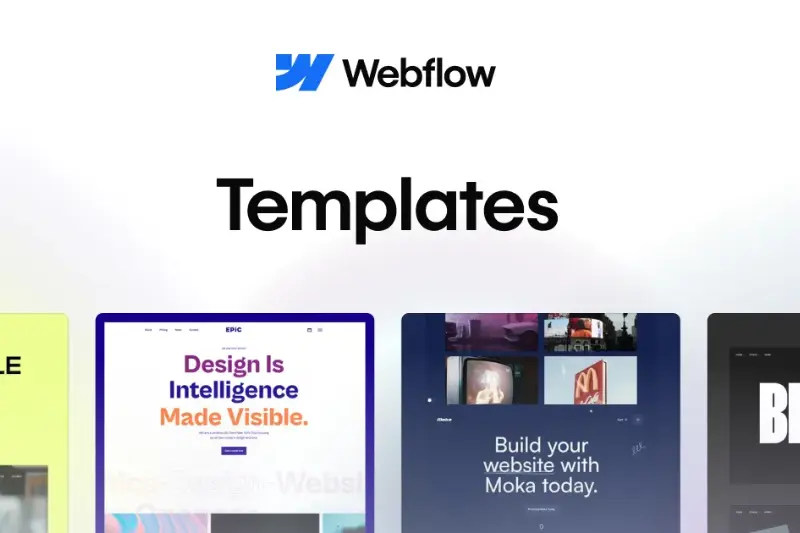
One of Webflow’s most powerful features is its collection of Webflow templates. These pre-designed website layouts are fully customizable and allow users to launch polished, high-performing websites quickly. From app landing pages and e-commerce stores to creative portfolios and SaaS websites, there is a template suited for almost every type of project.
Using Webflow templates comes with multiple advantages. They save time by providing ready-to-use layouts, ensure professional design standards, integrate seamlessly with Webflow’s CMS for dynamic content, and often include interactive elements and animations that enhance user experience. With the right template, building a modern, responsive, and visually appealing website becomes easier and more efficient than ever before.
Why Use Webflow Templates?
You May Like It:
Python Backend Development: A Complete Guide
Coding Basics for Beginners – Learn Step by Step
Backend Development Roadmap: Complete Beginner’s Guide
Choosing the right Webflow template can make a huge difference in the way you build and manage your website. Templates are designed to simplify the web development process while ensuring a professional and visually appealing result. Here are some of the key advantages:
- Saves Development Time: Instead of starting from scratch, templates provide ready-made layouts that can be easily customized. This allows you to launch your website faster and focus on content and strategy rather than coding every element.
- Professional and Proven Designs: Webflow templates are created by experienced designers, ensuring that your site follows modern design principles, clean layouts, and user-friendly interfaces. This gives your website a polished and credible appearance from day one.
- Built-in Animations and Interactions: Many templates include advanced animations, hover effects, and interactive features that make your website engaging and dynamic without the need for additional coding.
- CMS Functionalities for Dynamic Content: Templates often come integrated with Webflow’s CMS, allowing you to manage blogs, portfolios, product listings, or any other dynamic content effortlessly. This makes updating your website seamless and efficient.
Whether you’re a beginner looking for an easy way to build a website or a professional aiming to speed up your workflow, Webflow templates are suitable for everyone. They provide a balance of convenience, flexibility, and high-quality design, making website creation accessible and efficient for all skill levels.
Top Webflow Templates for Different Needs
Webflow offers a wide range of templates designed to suit various types of websites. Whether you’re launching a startup, building an online store, showcasing your portfolio, or presenting a SaaS product, there is a template that can meet your needs. Let’s explore the best options for different use cases.
App Landing Page Templates
App landing page templates are perfect for startups and tech companies looking to make a strong first impression. They are designed to highlight your app’s features, benefits, and user interface. Key features often include:
- Engaging call-to-action sections that drive conversions
- Interactive demos to showcase functionality
- Fully mobile-responsive design for seamless viewing on all devices
These templates help startups communicate their product value effectively, attract potential users, and create a professional online presence without investing excessive time in design and development.
E-commerce Webflow Templates
For online store owners, e-commerce Webflow templates offer essential features that improve both site management and customer experience:
- Visually appealing product showcase layouts
- Smooth checkout processes for better conversion rates
- Filtering and search options for easy navigation
- CMS integration for effortless product management
Using these templates, store owners can save time on development while providing a seamless shopping experience for customers. This combination of functionality and aesthetics helps increase engagement and sales.
Portfolio Templates
Portfolio templates are ideal for creatives such as designers, photographers, and freelancers who want to showcase their work professionally. Typical features include:
- Single-page or multi-page layouts tailored for showcasing projects
- Image and video galleries for visual storytelling
- Testimonial sections to highlight client feedback
With these templates, creatives can present their work in a structured and visually appealing way, attracting potential clients and creating a strong personal brand online.
SaaS Company Templates
Templates for SaaS companies focus on presenting software solutions clearly and professionally. They often include:
- Pricing tables for subscription plans
- Feature highlights to explain product benefits
- Blog sections to support content marketing
- User testimonials and social proof integration
These templates simplify the process of explaining complex products to potential customers while maintaining a clean and professional design. This makes it easier to build trust and convert visitors into users.
How to Choose the Right Webflow Template

You May Like It:
What is Secure Web Gateway (SWG) : Features Benefits and Future
Web Security: Importance Best Practices and Future Trends
Front-End Engineer: Role, Skills, and Career Guide
Selecting the right Webflow template is crucial to ensure your website not only looks great but also functions smoothly. With so many options available, focusing on key considerations can help you make the best choice for your project:
- Customization Flexibility: A good template should allow you to easily adjust colors, fonts, layouts, and sections to match your brand identity. This ensures your website feels unique and aligns perfectly with your vision.
- Performance and Mobile Responsiveness: Templates that load quickly and display well on all devices are essential for user experience and SEO. A lightweight, responsive design ensures your site looks professional whether viewed on a desktop, tablet, or smartphone.
- Interactions and Animations: Engaging micro-interactions, hover effects, and smooth animations can enhance user experience. Look for templates that include these built-in features to make your website more dynamic and interactive.
- CMS Capabilities for Dynamic Content Management: If your website requires blogs, portfolios, product listings, or other dynamic content, ensure the template integrates seamlessly with Webflow’s CMS. This allows you to easily manage and update content without technical challenges.
By considering these factors, you can choose a Webflow template that not only looks visually appealing but also supports your website goals efficiently. Whether you’re a beginner or an experienced designer, the right template sets a strong foundation for a successful website.
Accessing Webflow Templates
- Finding and using the right Webflow template is easier than ever, thanks to a variety of free and premium options available online. Understanding the differences and available resources can help you choose the template that best suits your needs.
- Free vs. Premium Templates: Webflow offers both free and paid templates. Free templates are perfect for simple projects or for getting started without any investment. Premium templates, on the other hand, often include advanced features, additional pages, and professional support, making them ideal for businesses and complex websites.
- Demo Links and Documentation: Most templates come with live demos, allowing you to explore layouts, features, and design styles before making a choice. Detailed documentation is usually provided as well, guiding you through installation, customization, and content management to make setup smooth and efficient.
- Customization Possibilities: Every template can be fully customized to fit your brand. From colors, fonts, and images to layout adjustments and content updates, Webflow templates give you the flexibility to create a unique website that stands out while saving time on development.
By leveraging these resources, you can quickly access high-quality Webflow templates and tailor them to create a professional, engaging, and functional website.
Conclusion
Webflow templates offer an incredible way to build professional, visually appealing websites with ease. They save time, provide proven design layouts, integrate seamlessly with Webflow’s CMS, and often include engaging animations and interactive features. Whether you’re creating an app landing page, an e-commerce store, a creative portfolio, or a SaaS website, there is a template designed to meet your specific needs.
Choosing the right template is key to ensuring your website not only looks great but also performs efficiently. The right Webflow template can enhance user experience, improve design quality, and streamline website management, allowing you to focus on growing your brand or business.
You May Like It
Easiest Coding Language to Learn in 2025
Frontend Masters: A Complete Guide for Web Developers
Frontend Mentor: A Complete Guide for Web Developers
Highest Paying Coding Languages in 2025
