
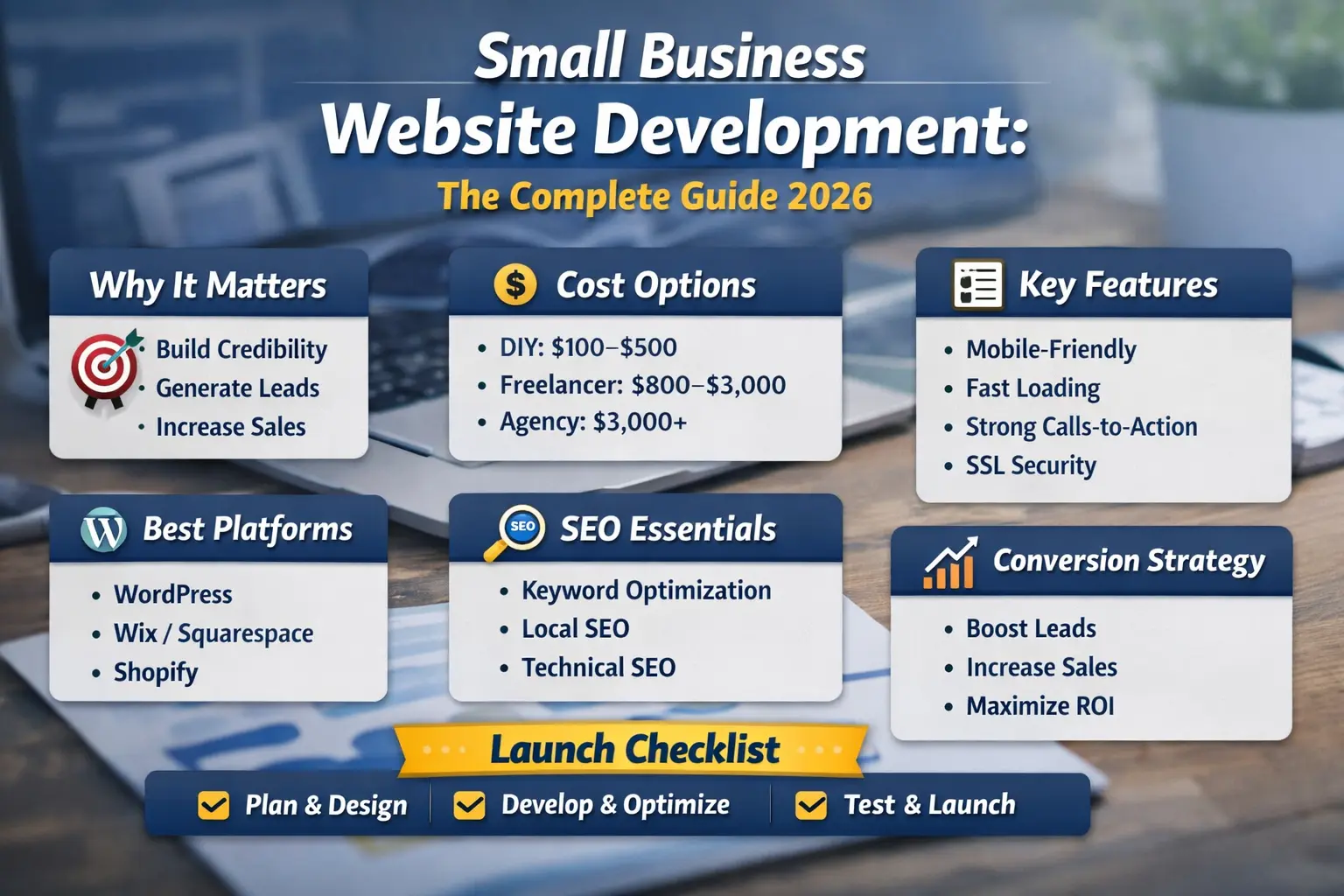
Building a website for your small business is no longer optional. It is your digital storefront, your lead generator, and your most powerful marketing tool.
But here’s the truth:
Most small business websites fail.
They look nice, but they do not generate leads.
They cost money, but they do not produce revenue.
They exist, but they do not convert visitors into customers.
This guide will show you how to approach small business website development the right way — with strategy, clarity, and measurable results.
Whether you plan to build your site yourself or hire professionals, this article will help you make smart decisions.
Why Small Business Website Development Matters
A professionally developed website helps your business:
- Build trust and credibility
- Generate consistent leads
- Increase online visibility
- Improve customer experience
- Compete with larger companies
- Collect customer data
- Sell products or services 24/7
Today, customers search online before making decisions. If they cannot find you — or your website looks outdated — they may choose a competitor.
Your website is often your first impression. Make it count.
What Is Small Business Website Development?
Small business website development is the process of:
- Planning your website strategy
- Designing the layout and structure
- Developing functionality
- Creating optimized content
- Integrating SEO
- Launching and maintaining the site
It is not just about design.
It combines:
- Web design
- Web development
- User experience (UX)
- Search engine optimization (SEO)
- Conversion rate optimization (CRO)
- Performance optimization
A successful website must look good and generate results.
How Much Does Small Business Website Development Cost?
Most competitors avoid discussing real numbers. Let’s break it down clearly.
DIY Website (Low Budget Option)
Cost: $100–$500 per year
Includes:
- Website builder subscription
- Domain name
- Basic hosting
Best for:
- Very small startups
- Personal brands
- Early-stage businesses
Limitations:
- Limited customization
- Basic SEO capabilities
- Limited scalability
Freelancer Development
Cost: $800–$3,000 (one-time)
Includes:
- Custom design
- Basic SEO setup
- Responsive design
Best for:
- Local businesses
- Service providers
- Consultants
Limitations:
- Quality varies
- Limited long-term strategy
- May lack advanced optimization
Professional Agency Development
Cost: $3,000–$15,000+
Includes:
- Strategy planning
- Custom UX design
- SEO integration
- Conversion optimization
- Performance testing
- Ongoing support
Best for:
- Growing businesses
- Competitive industries
- Ecommerce brands
Hidden Costs to Consider
Many small businesses overlook:
- Hosting upgrades
- Plugin licenses
- Security tools
- Content writing
- SEO services
- Maintenance fees
- Website redesign every 3–5 years
Planning for these expenses prevents future frustration.
Choosing the Right Platform
Your platform affects scalability, SEO, and growth.
WordPress
Best for: Flexibility and SEO
Pros:
- Highly customizable
- Thousands of plugins
- Strong SEO control
Cons:
- Requires maintenance
- Learning curve
Wix or Squarespace
Best for: Beginners
Pros:
- Easy drag-and-drop builder
- Fast setup
Cons:
- Limited scalability
- Basic SEO control
Shopify
Best for: Ecommerce businesses
Pros:
- Built-in payment processing
- Inventory management
Cons:
- Monthly fees
- Transaction fees
Choose a platform based on long-term goals, not just short-term convenience.
Essential Features Every Small Business Website Must Have
Many websites fail because they miss these basics.
Clear Value Proposition
Within 5 seconds, visitors should know:
- What you offer
- Who it is for
- Why you are different
Mobile-First Design
More than half of users browse on mobile devices.
Your site must:
- Load fast
- Be easy to navigate
- Have readable text
- Feature clickable buttons
Fast Loading Speed
A 1-second delay can reduce conversions.
Optimize:
- Images
- Hosting
- Scripts
- Caching
Strong Call-to-Action (CTA)
Every page should guide visitors to:
- Book a consultation
- Request a quote
- Make a purchase
- Call your business
SSL Security Certificate
Google favors secure websites.
Customers trust secure websites.
Contact Information Visibility
Display:
- Phone number
- Address
- Contact form
Make it easy to reach you.
Social Proof
Include:
- Testimonials
- Case studies
- Reviews
- Certifications
Trust increases conversions.
SEO for Small Business Website Development
Search engine optimization is critical.
Without SEO, your website is invisible.
Keyword Optimization
Target phrases like:
- small business website development
- affordable web design
- professional website for small business
- local business website design
- ecommerce website development
- responsive web development
- SEO web design services
Use keywords naturally in:
- Page titles
- Headings
- Meta descriptions
- Content
- Image alt text
Local SEO
If you serve a local market:
- Create a Google Business Profile
- Add location keywords
- Include local schema markup
- Get local backlinks
Technical SEO
Ensure:
- Fast page speed
- Mobile responsiveness
- Clean URL structure
- XML sitemap
- Proper heading hierarchy
Conversion Strategy: How Your Website Makes Money
Let’s use simple math.
If your site gets:
1,000 visitors per month
3% conversion rate
Average sale = $200
That equals:
30 customers × $200 = $6,000 per month
That is $72,000 per year.
A $5,000 website investment suddenly makes sense.
This is why strategy matters more than design.
Common Small Business Website Mistakes
Avoid these costly errors:
- No clear call-to-action
- Slow hosting
- Too many plugins
- No analytics tracking
- Ignoring SEO
- Overloading pages with text
- No mobile optimization
- No backup system
Fixing these improves performance dramatically.
30-Day Small Business Website Launch Checklist
Here is a practical roadmap.
Week 1: Planning
- Define target audience
- Define goals
- Research competitors
- Choose platform
Week 2: Design and Structure
- Create sitemap
- Design homepage
- Plan navigation
- Develop brand visuals
Week 3: Development and SEO
- Build pages
- Optimize images
- Add keywords
- Install analytics
- Set up SSL
Week 4: Testing and Launch
- Test mobile responsiveness
- Check forms and CTAs
- Improve page speed
- Final content review
- Go live
This structured approach reduces confusion and delays.
DIY vs Hiring Professionals
DIY Is Better If:
- You have time to learn
- Budget is limited
- Your business is simple
Hire Professionals If:
- You want faster results
- You operate in a competitive industry
- You need custom features
- You value long-term scalability
Think of your website as an investment, not an expense.
How to Measure Website Success
Track these key performance indicators (KPIs):
- Website traffic
- Conversion rate
- Bounce rate
- Page load speed
- Lead generation rate
- Cost per acquisition
Data helps you improve continuously.
The Future of Small Business Website Development
In 2026 and beyond, successful websites will focus on:
- AI chat integration
- Voice search optimization
- Personalized user experiences
- Faster performance
- Enhanced security
- Conversion-driven layouts
Staying updated gives you a competitive advantage.
Final Thoughts
Small business website development is not just about building pages.
It is about:
- Strategy
- Visibility
- Trust
- Conversion
- Growth
A well-developed website works for you 24/7. It attracts visitors, builds relationships, and generates revenue.
Invest time in planning. Choose the right platform. Focus on SEO. Optimize for conversions. Track performance.
Do it correctly once, and your website becomes your most powerful business asset.
